Thank you for choosing the Heimdal Security security system! We would like to introduce the activation and registration process with the following brief information. We hope you will be satisfied with our product! If you have any questions, please feel free to contact us!
Activating your HEIMDAL Dashboard account
To activate your HEIMDAL Dashboard account, click the link in the Account Confirmation email you received.
Enter your current password (from the email) and a new password. See password requirements below.
- Must be at least 12 characters long;
- Must contain at least three (3) character types from the following: uppercase letters, lowercase letters, numbers, and special characters;
- The new password cannot be the same as your current password.
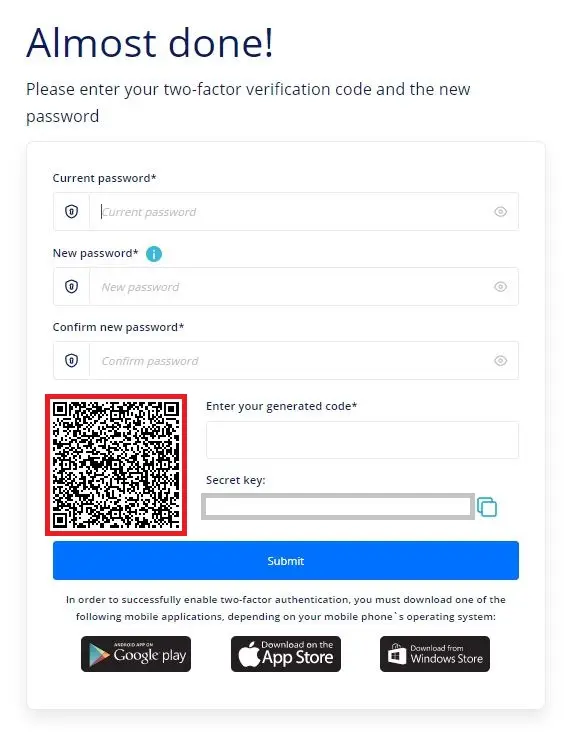
FONTOS:
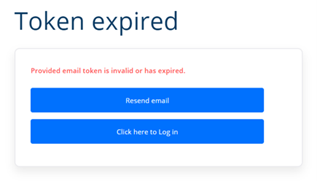
The Confirm Account link expires on the first click. If you don't confirm your account, you will receive this error message and the account confirmation email will need to be resent.
Go to https://dashboard.heimdalsecurity.com/ to start downloading the software! Under the Guide menu, select the download and install tab, and then select the appropriate downloader for your machine!
Heimdal™ …......... version
Heimdal™ MAC ....... version
Before downloading, please accept the license agreement! (To do this, you must scroll down to the bottom of the text section for the system to allow you to continue.) You can also choose to install the Heimdal ™ Agent “silent”, without user intervention, by following the following configuration switches:
msiexec /qn /i Heimdal.msi heimdalkey=[YOUR_HEIMDAL_KEY]
When using the above command, make sure to specify the correct path to the .msi file and to copy your license key in place of [YOUR_HEIMDAL_KEY], the version number will always change here.
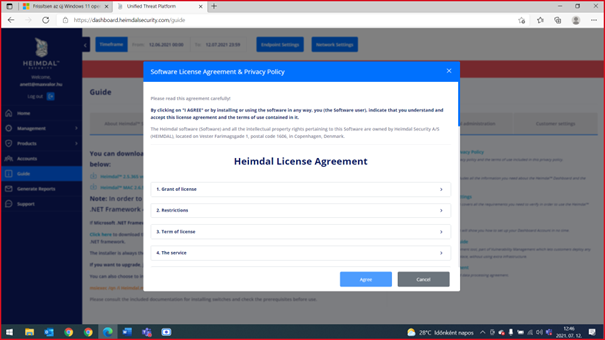
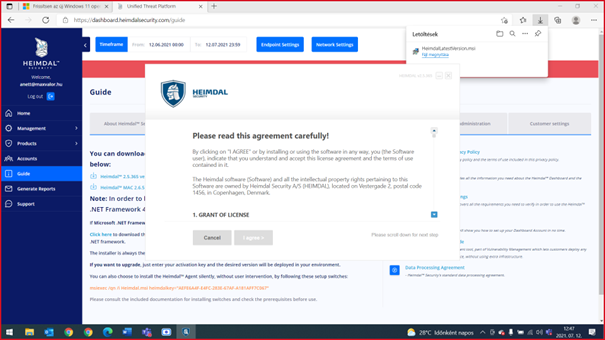
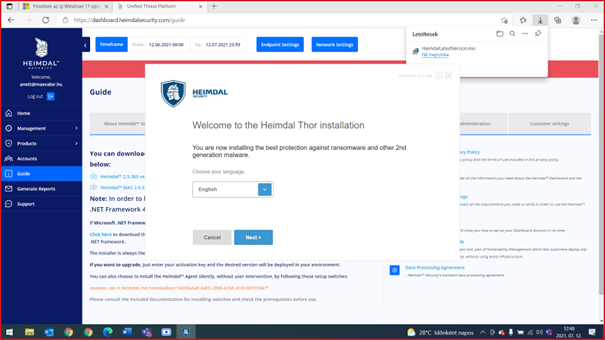
After opening the downloaded .msi file, please accept the agreement again (after scrolling down to the bottom line), then select the language! (There is no option to select the Hungarian language yet.)
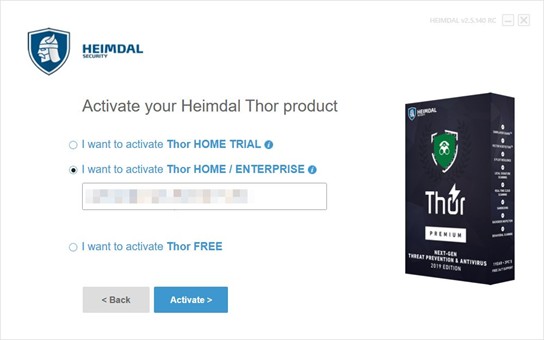
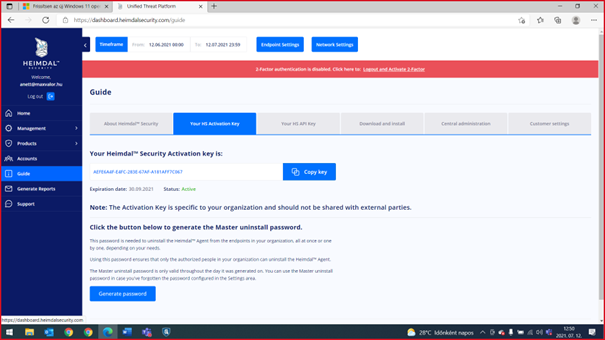
The system will require an activation key, which you can find under the Guide menu item under the Your HS Activation key tab. Inserting this will complete the activation and installation.
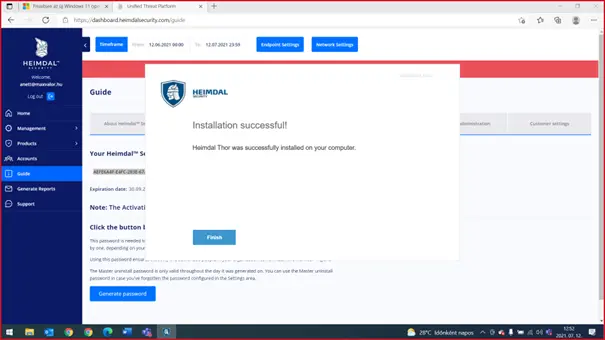
IMPORTANT! Before installing the Agent on other machines, we recommend that you complete the GP settings first!
Important basic settings
Setting profiles (Group Policy)
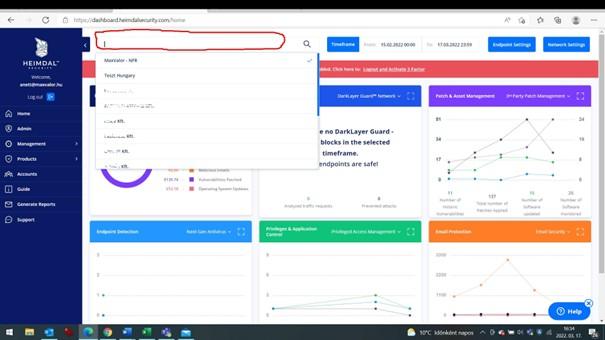
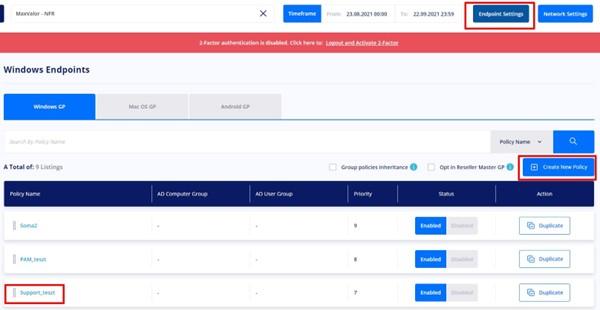
You can access the settings profiles (Group Policy) in the console by clicking the Endpoint Settings button at the top. Here you can make the necessary settings and define the scope of the Group Policies.
It is important that before you start the settings, select the partner for whom you want to make the settings from the drop-down menu above! (picture)
General (General Settings Tab)
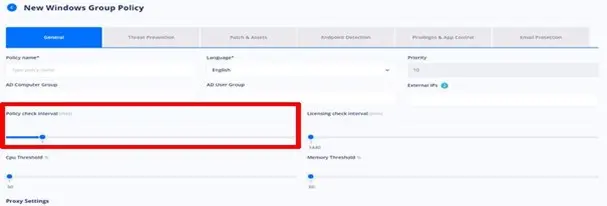
Policy check interval: This slider allows you to control how often the Agent checks for changes to the settings. Depending on network capacity, it is recommended to check as often as possible.
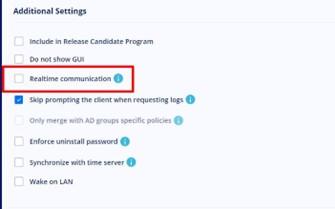
Realtime communication: By enabling this flag, the Agent will receive configuration changes from the server within approximately 1 minute.
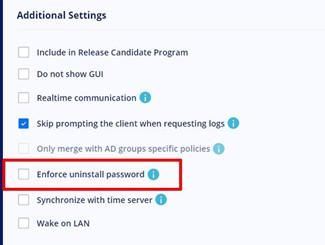
Enforce uninstall password: setting this password is VERY IMPORTANT, it ensures that unauthorized person/code cannot remove endpoint protection.
Endpoint-detection
Next-Gen Antivirus
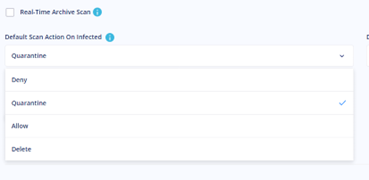
Default Scan Action On Infected: Be sure to use the Quarantine or Delete setting here! Deny only denies memory access to the identified virus, but does not perform any other action.
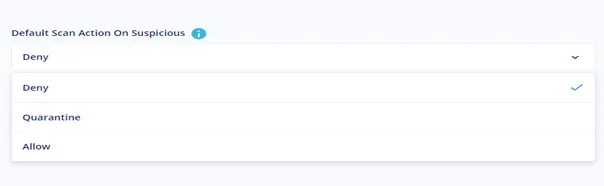
Default Scan Action On Suspicious: Here it is highly recommended to use the Quarantine setting, because programs that are not identified but are considered suspicious must be examined before being allowed.
FIREWALL
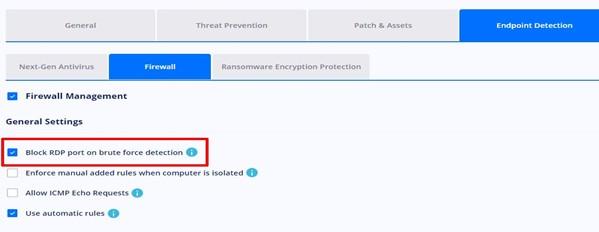
Block RDP port on brute force detection: We definitely enable this flag because it filters out any possible attack attempts that were not detected before Heimdal was installed and helps to map vulnerable points in the system.
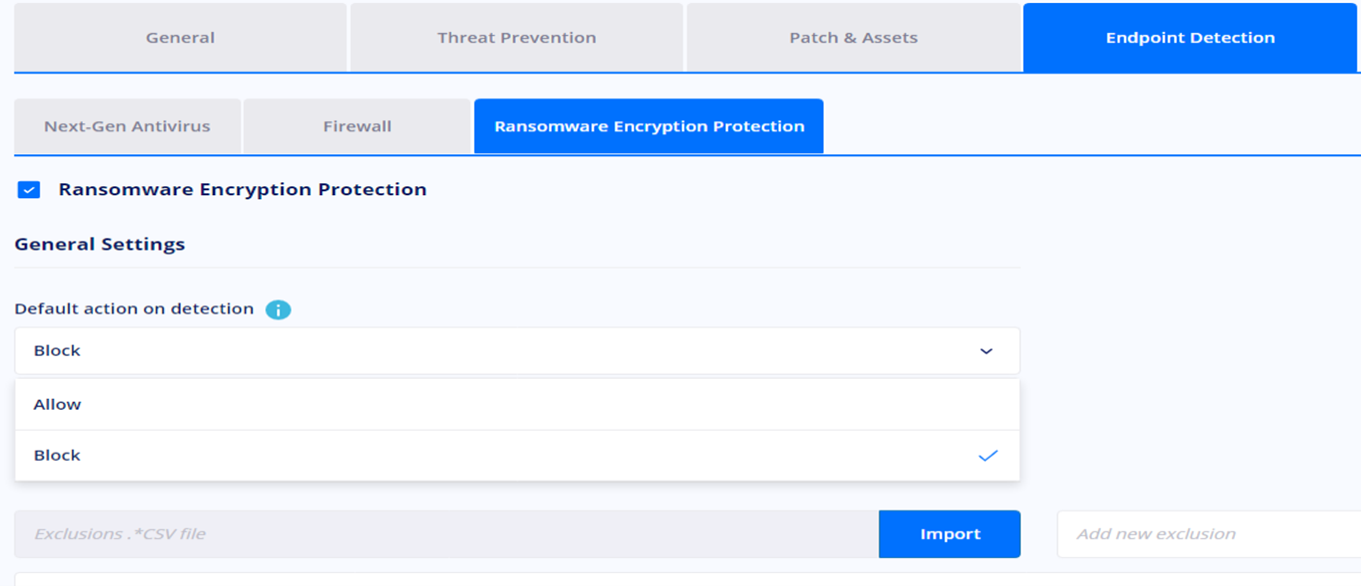
Ransomware Encryption Protection
Default action on detection: The Block action setting is very important here, as it is intended to catch programs that are considered ransomware. At launch, it can be used in the Allow state for a week or two, helping the Heimdal Agent identify frequently used programs. (audit period).
IMPORTANT: In Next-gen Antivirus and MDM products, we recommend using the Zero Trust module in report mode for the first two weeks! Because Zero Trust blocks programs it does not recognize - for example: self-developed programs - which can cause significant disruptions in companies where Heimdal is being implemented.
Activation and installation, as well as the necessary initial settings, are ready! We wish you successful work!
If you have any questions, please contact our product support team! [email protected]